
Description:
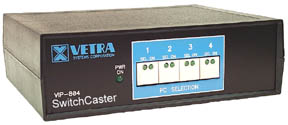
The VIP-804-B
"SwitchCaster"™ 4 port KVM Switch / Multicaster allows one PS/2
keyboard, PS/2 mouse and monitor to switch between or multicast to 4 PCs.
Besides being a full function 4 port KVM Switch, the rich multicasting
features of the SwitchCaster are tailor made for use in multiboxing
applications and our fast channel (PC) switching and low device latency
provide optimal performance for on-line games such as World of Warcraft. The
multicasting features of the SwitchCaster greatly reduce the amount of
additional hardware devices typically required for multiboxing applications.
The VIP-804-B 4 port KVM Switch / Multicaster supports all popular PS/2
keyboards and mice, including Microsoft IntelliMouse™, and video resolution up to 1600 by 1200 at 75Hz.
The unique architecture of the VIP-804-B KVM Switch / Multicaster provides a
dedicated microprocessor for each PC. This feature makes it possible to
"hot-plug" keyboards and mice, at any time, and power the connected
PCs up and down, in any order. At the heart of the SwitchCaster is Vetra's
advanced keyboard and mouse emulation technology which provides error free
boot up and mouse driver loading for each connected PC, and allows the
SwitchCaster to operate transparently with all
IBM compatible PCs, PC operating systems, and applications. All VIP-804-B KVM
Switch / Multicaster models are powered by the connected PCs so no external
power supply is required.
The VIP-804-B 4 port KVM Switch / Multicaster comes in a variety of standard
configurations, is rugged and compact in design and easy to install and
operate. For applications requiring rack mounting, an optional 2U height rack
mount tray is available (see Accessories
). All Vetra KVM products are designed and manufactured in the USA for
enterprise mission-critical applications for use around the world and are
backed by a Limited 3-year Warranty. For more information on this product or
our complete line of KVM solutions, please contact us at sales@vetra.com
OPERATION:
When in KVM Switch mode,
all VIP-804-B "SwitchCaster" models can select the active PC via a
keyboard "hot-key" sequence ([scroll lock] + [1] for PC1, or
[scroll lock] + [3] for PC3, etc) or by a push button(s) located on the front
panel of the KVM Switch. Direct Entry models (as
indicated by -DE in the model
number) have an individual push button switch for
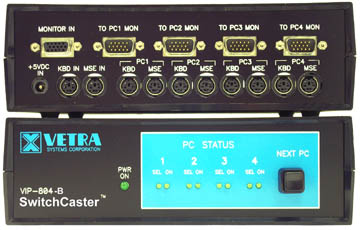
each PC channel. The non-DE models have a single push button (NEXT PC) which provides
manual sequential switching through all PC channels. Each time the "NEXT
PC" button is depressed it switches to the next PC channel in the cycle.
All models have an "auto-scan" mode ([scroll lock]
+"A"). Auto-scan sequentially switches through each connected and
powered PC, pausing for 5 seconds at each PC before automatically switching
to the next PC. The selection of any PC channel or ([scroll lock]
+"S") terminates the auto-scan mode. Keyboard hot-key selection or
direct entry switches will select all PC channels, powered or not. Auto Scan
and the next button will skip unpowered channels.
In all cases on either model, when a PC channel is selected, an LED on
the front panel illuminates to indicate the selected PC while additional
front panel LED's indicate which PC channels are powered. Upon selection, the
intelligence in the SwitchCaster correctly sets the keyboard's status
indicators, CAPS, SCROLL, and NUM Lock, as these settings may be different
for each PC. The keyboard and/or mouse may be disconnected and re-connected
(hot-plugged), or exchanged at any time without having to power down the
connected PC's. This feature is useful if a connected device fails during a
critical application.
There are several useful settings for Multicast mode. Scroll
Lock+"B" selects multicasting mode. All PC channels receive
keyboard and mouse multicasted output. Scroll Lock+"K"
selects keyboard only multicasting. All PC channels receive keyboard
multicasted output. The mouse is connected only to one PC channel, the one
currently selected. Scroll Lock+"M" selects mouse only
multicasting. All PC channels receive mouse multicasted output. The keyboard
is connected only to one PC channel, the one currently selected. Any valid
Scroll Lock command will override all previous commands. For example, Scroll
Lock+"1" will select PC channel 1 and cancel all multicasting.
Pressing the NEXT PC button or direct entry buttons, changes the selected
channel but does not cancel multicasting. Scroll Lock+"I" enables
inversion multicasting. The currently selected channel is blocked from
receiving multicasts. Works with keyboard, mouse, and combined multicast.
Inversion can only be cancelled by typing Scroll Lock+"O"
then all channels receive multicast when multicasting is on. Typing Scroll
Lock "I" or "O" does not actually start or stop
multicasting. It only toggles the inversion on or off. Inversion can be
turned on or off at any time whether multicasting is on or off.
A useful example of inversion multicasting for multiboxing would be having
the currently selected channel blocked from receiving multicasts. If
selecting keyboard-only multicasting, for example, the keyboard is locked
out, but the mouse is not. The user can use the mouse control the selected PC
channel and simultaneously use the keyboard to control the other multicast PC
channels. In effect, you can control your lead character with the mouse, and
your backup army with the keyboard, all at the same
time!
|






 For a copy of Adobe's Acrobat® Reader™.